
Best AI Tool for Your Job: A Practical Guide by Role
Most AI tool guides are written for tech workers. This one isn't. Find your role below (teacher, HR, accountant, small business owner, healthcare, freelancer), get the right tool, a starter prompt you can use today, and one honest limitation. If your role isn't here, there's a short decision flow at the end.
Akhilesh Angadi
Founder of NeuralSutras · writes about practical AI & software · 20 July 2026
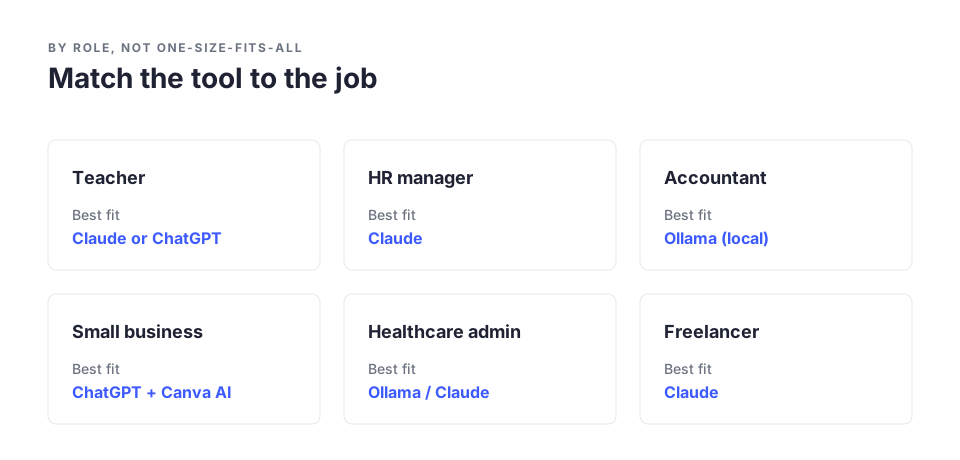
TL;DR: Most AI tool guides are written for tech workers. This one isn't. Find your role below (teacher, HR, accountant, small business owner, healthcare, freelancer), get the right tool, a starter prompt you can use today, and one honest limitation. If your role isn't here, there's a short decision flow at the end.
Quick reference: AI tool by role
| If you are... | Use... | Why |
|---|---|---|
| Teacher | Claude or ChatGPT | Natural writing, good with educational content |
| HR Manager | Claude | Best professional prose, less editing |
| Accountant | Ollama (local) | Confidential data stays on your device |
| Small Business Owner | ChatGPT + Canva AI | Big ecosystem, easy marketing content |
| Healthcare (admin) | Ollama for patient-adjacent; Claude otherwise | Patient data must never leave your device |
| Freelancer / Creative | Claude | Best proposals and client communication |
| Researcher | Perplexity | Searches the web and cites sources |
Full explanations, prompts, and limitations below.
Every "best AI tools" list looks the same. ChatGPT, Copilot, Claude, Gemini, Perplexity, and a few names you may not recognise.
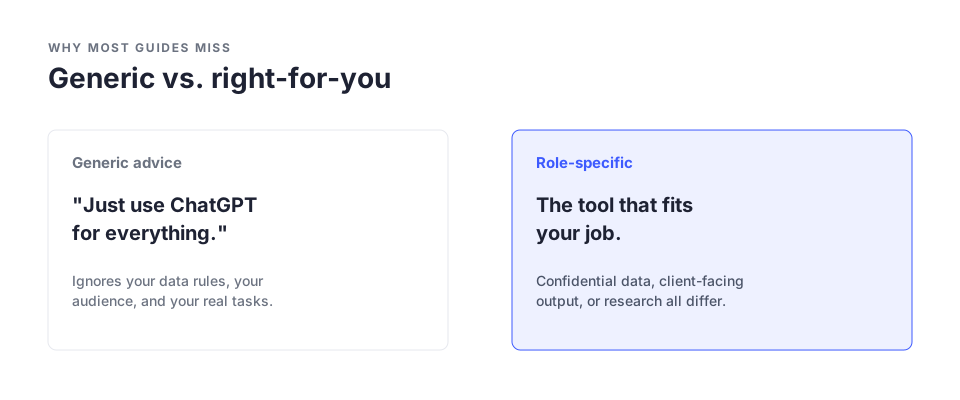
What they almost never tell you is which one to use for your actual job. A teacher giving better feedback on essays needs a different answer than an engineer automating code reviews. An accountant handling client files they can't upload anywhere needs something different again.
Most AI writing is by and for people in tech. This isn't. It's for the teacher, the HR manager, the accountant, the shop owner, the nurse: people who know AI is useful but have never found a guide that speaks to their work.
Find your role. Each section gives you the problem, the tool, and a prompt you can copy today. If your role isn't listed, use the decision flow at the end.
Teachers and educators
Lesson plans, feedback on student work, and assessments eat hours that should go to teaching, and most of it is repetitive: same structure, different content.
Best tool: ChatGPT or Claude (free tier). Both handle educational content well. Claude's feedback tends to sound more natural, which matters when it goes to students. ChatGPT has more community prompts and integrations.
"Create a 45-minute lesson plan for [subject], topic [topic], for [grade level]. Include a learning objective, a warm-up, the main activity, and an exit ticket."
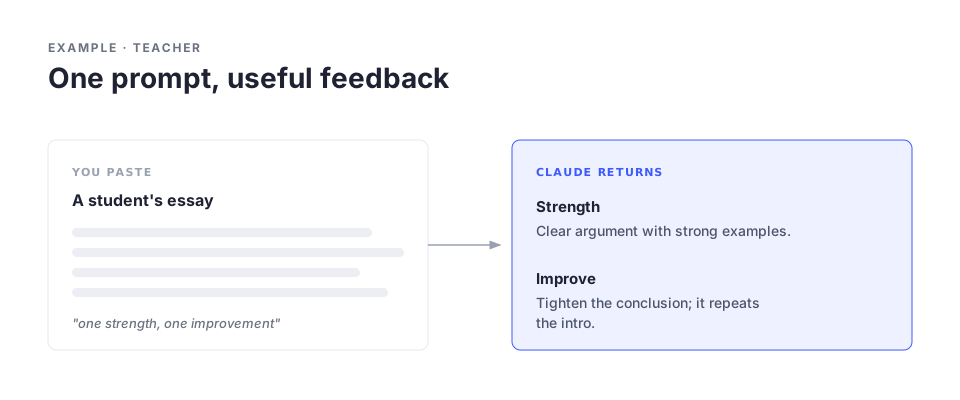
"I'm a teacher. Here is a student's essay: [paste]. Write constructive feedback in 3 to 4 sentences: one strength, one specific area to improve. Keep it encouraging."
Honest limitation: AI lesson plans miss curriculum specifics, local context, and individual students. Use them as a starting point, never the finished thing.
HR managers and people operations
Job descriptions, offer letters, review templates, policies, onboarding: HR produces a huge volume of structured writing, most of it the same patterns with different details.
Best tool: Claude (free tier). It produces the most natural professional prose of the major tools, which counts when the reader is an employee or candidate, and it holds tone across a long document.
"Write a job description for a [role] at a [type of company]. Reports to [manager]. Key responsibilities: [list]. Required experience: [years/type]. Professional but human, no corporate jargon."
"Here is our [policy name]: [paste]. Write a plain-English summary of what an employee needs to know, under 200 words."
Honest limitation: Never use AI output directly for disciplinary docs, terminations, or anything with legal weight. AI can draft; a human owns the final version.
Accountants and finance professionals
Client documents are sensitive. You can't paste financial data or client names into a public AI. But a lot of time still goes to explaining concepts, summarising reports, and standard correspondence.
Best tool: Ollama with a local model (free, on your laptop). For anything with real client data, run AI locally so nothing leaves your device. (Ollama) It takes about 10 minutes to set up. For non-sensitive work, Claude or ChatGPT free tier is fine.
Full setup: How to Run AI Locally on Your Laptop
"Explain [financial concept] in plain English for a small business owner with no accounting background. Under 150 words."
Honest limitation: Never use AI to generate financial advice or to run calculations that end up in client deliverables. Use it for communication and explanation, not computation.
Small business owners
You wear every hat: marketing, customer service, operations, admin. Product descriptions, review replies, supplier emails, social posts, often in one day. Time is the constraint.
Best tool: ChatGPT (free tier) for most writing; Canva AI for visuals. ChatGPT's free tier covers most small-business writing. Canva's AI handles images and design with no design skills needed.
"Write a product description for [product]. It is [description]. Target customer: [who]. Tone: [friendly/professional]. Two to three sentences."
"Write a professional reply to this review: [paste]. If positive, thank them and invite them back. If negative, acknowledge, apologise, offer a fix. Under 80 words."
Honest limitation: Generic AI copy is easy to spot. Edit it to sound like your actual brand voice; a quick personal touch makes it far more effective.
Healthcare workers (non-clinical use only)
Documentation, patient communication templates, plain-language explanations, and admin take time from care. AI can help the communication and admin layer, never clinical decisions.
Best tool: Ollama (local) for anything patient-related; Claude or ChatGPT for non-patient admin. This is the clearest case for local AI. Patient data is legally protected in most places and must never go into a public tool. For staff scheduling, training, and internal process docs, public tools are fine.
"Explain [procedure or condition] to a patient with no medical background. Under 200 words, simple language, no jargon." (No specific patient information.)
Honest limitation: AI must never be used for clinical decision support, medication guidance, or diagnosis, whatever the tool. That's a firm line. Anything patient-facing gets a clinician's review before it goes out.
Freelancers and creatives
Proposals, client emails, invoicing language, and contracts take time away from the work clients actually pay for.
Best tool: Claude (free tier). Its writing is the best of the free tools for professional communication, so proposals read considered rather than templated.
"Write a project proposal for a client who needs [project]. My services: [what you offer]. Timeline: [weeks]. Budget: [range]. Professional, confident, under one page."
If your role isn't listed
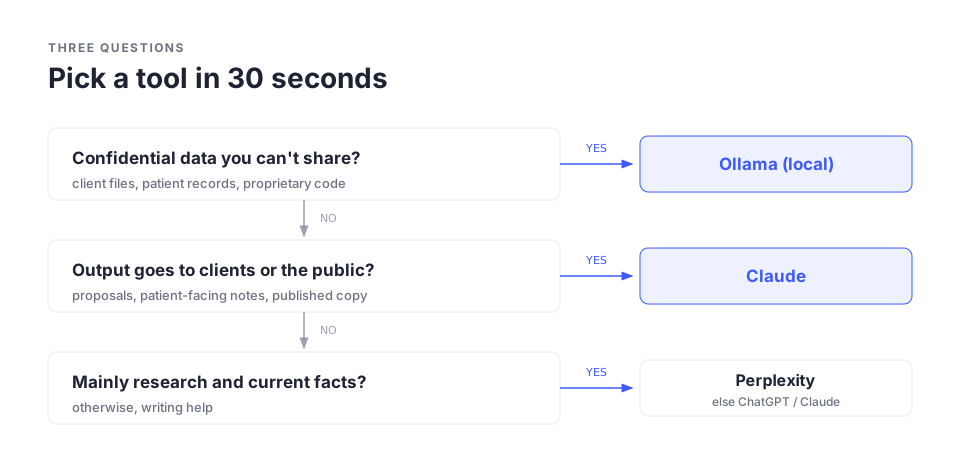
Three questions:
- Does your work involve sensitive data you can't share externally? Yes: use Ollama (guide). No: next question.
- Does the output go straight to clients, patients, or the public? Yes: use Claude, it needs less editing. No: next question.
- Do you mainly need writing help, or research? Writing: Claude or ChatGPT. Research: Perplexity, which searches the web and cites sources instead of guessing.
Role-by-role summary
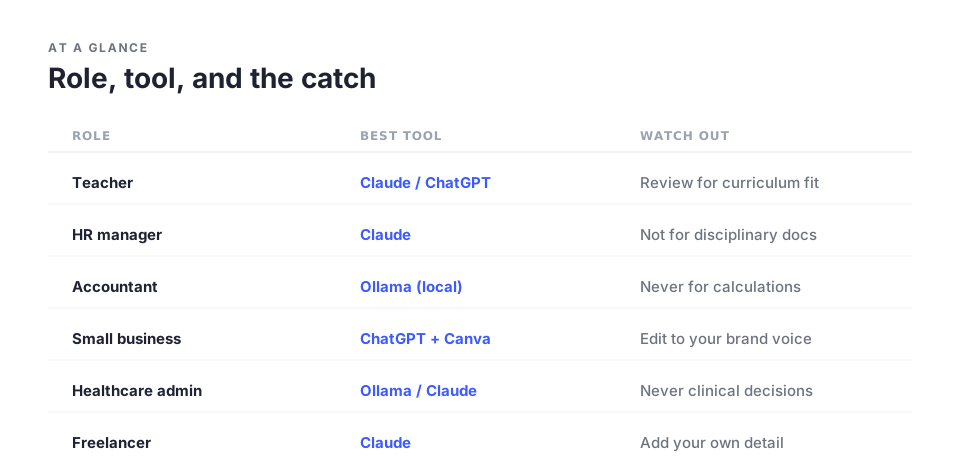
| Role | Best Tool | Primary Use |
|---|---|---|
| Teacher | Claude or ChatGPT | Lesson plans, feedback, assessments |
| HR Manager | Claude | Job descriptions, policies, reviews |
| Accountant | Ollama (local) for client data; Claude otherwise | Explainers, correspondence |
| Small Business Owner | ChatGPT + Canva AI | Marketing, customer replies, social |
| Healthcare (admin) | Ollama patient-adjacent; Claude admin | Explainers, training materials |
| Freelancer / Creative | Claude | Proposals, client communication |
Practical checklist
- Find your role above and note the tool
- Sign up for its free tier
- Copy one starter prompt from your section
- Run it on a real task this week, not a test
- If the output needs heavy editing, refine the prompt and rerun
- Check your company's AI policy before using work data
- Confidential data? Set up Ollama before any cloud tool
Week-one goal: one real task done faster with AI. That's it.
Key takeaways
- Generic "best AI tools" lists are written for tech workers; most professionals need role-specific guidance.
- Claude produces the most natural writing for client and employee-facing documents.
- ChatGPT has the bigger ecosystem of integrations and prompts, handy for small business owners.
- Confidential data? Run AI locally with Ollama so nothing leaves your device.
- Perplexity beats ChatGPT for research that needs current, cited information.
- Every AI output needs a human review before it reaches clients, patients, or the public.
- Start with one prompt from your section today. Don't wait until you've "figured out AI."
The bottom line
AI isn't one tool. It's a category, and like any category, the right pick depends on what you're building.
Most guides treat every professional as if they work in tech. They don't, and the tools, uses, and especially the limitations differ by job. Pick your role, copy the prompt, run it on something real today. That beats another hour of reading about AI tools.
Frequently Asked Questions
Is the free tier enough, or do I need to pay? For most uses here, the free tiers of ChatGPT, Claude, and Gemini are enough. You'll hit daily limits, but for occasional professional tasks they rarely block you. Paid tiers earn their keep if you're in AI for hours a day.
Which AI is most private? For true privacy, where nothing leaves your device, a local model via Ollama. Among cloud tools, Claude and Gemini offer enterprise privacy terms on paid business plans, as does OpenAI. On personal free tiers, assume your prompts may be reviewed.
Can I use AI at work if my company hasn't said anything? Silence isn't permission. Many companies are still writing their policies. If yours hasn't published one, ask IT or legal before using any tool with work data. It's a five-minute conversation that protects you.
What if the AI gives me wrong information? Verify before you use it, especially facts, statistics, and anything medical, legal, or financial. AI is great for drafting, summarising, and explaining, weaker on specific facts.
Do I need to learn "prompt engineering"? No. The prompts here work with no special knowledge. Clear plain-English instructions are all you need for everyday work.
Further Reading
- Why Does ChatGPT Make Stuff Up?: AI's limitations before you rely on any tool
- How to Run AI Locally on Your Laptop: for anyone with confidential data
- University of San Diego: AI tools for teachers: independently reviewed teacher tools
- Anthropic Claude overview
- OpenAI ChatGPT overview
- Ollama: run AI locally, no technical setup
What's Next
- Protect your privacy with AI Is ChatGPT Safe to Use?
- A daily AI system for email and meetings How I Cut 90 Minutes Off My Workday
Enjoyed this guide? Subscribe to the NeuralSutras newsletter for one practical AI lesson every Sunday, and follow our YouTube channel for step-by-step tutorials.
NeuralSutras. Practical AI for Everyone. Have a question or correction? We want to know: hello@neuralsutras.com
Akhilesh Angadi
Founder of NeuralSutras · writes about practical AI & software. Every NeuralSutras guide is tested, honest about limitations, and written to stay useful long-term.
One practical AI lesson, every week
No hype. No news roundups. Just one actionable guide on using AI to work smarter, every Sunday.
Subscribe free →